Friday, January 27, 2017

Speaking to the DFW Writers Bloc on Saturday

Thanks to Tex Thompson for inviting me to speak to the DFW Writers Bloc on Saturday, January 28, 2017, at 2:00 PM. Topic? Tech for Writers: Tips, Tools, and Tricks. All attendees will receive a free digital copy of Passwords the Easy Way.

Click for the invite page.


Yes, this ebook for free. Along with all the other tips, tools, and tricks I know (or can explain in 90 minutes) that your heart desires.

Since I'll be coming directly from rehearsal for the Mesquite Symphony Orchestra, I will have my violin. If things get slow I might whip it out (the violin, of course) and shake my tip jar. One never knows.

Come be edutained. Let's have some fun and chat and enjoy the company of other crazy people who have the odd urge to write.

Wednesday, June 29, 2016

Thanks, Amazon for Recommending Passwords the Easy Way

My friend Sandy Steen got an email yesterday from Amazon recommending Passwords the Easy Way. Here's part of that email:

 Passwords the Easy Way

When she called to tell me, I was excited, of course. But I figured it was one of the emails like I get, listing a dozen or so suggestions based on what I have viewed on their website recently. But no, as you can see, the only book recommended was my Technology For Writers.

Don't know why they did this, or what the process is that selects such an honor, but I certainly appreciate the attention from them. Since there are no obvious email addresses or phone numbers to say, "Thanks, Amazon," I'm putting this here. And Twitter, of course. Oh, and I guess Facebook - one never knows when Mark Zuckerberg might need help with his passwords.

So, once again, let me say, "Thanks, Amazon. Thanks to you and your mysterious algorithms for recommending my book."

Does an algorithm appreciate courtesy? Can't hurt.

Friday, June 17, 2016

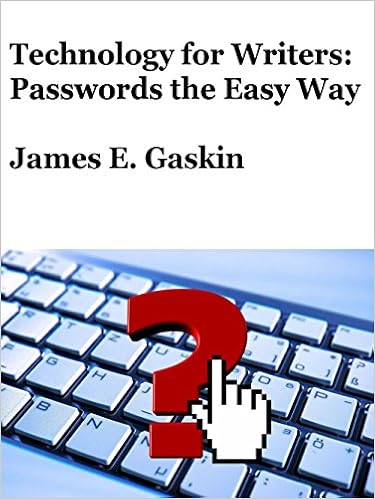
Passwords the Easy Way now available


As I have mentioned before, I'm doing a book titled Technology for Writers: Tips, Tools, and Tricks to Produce and Promote Your Words. This gathers all the information I've been giving when speaking to writer's groups.

Trying to do this differently, I'm releasing one chapter of this book at a time. So the book cover you see above is really Chapter One. It's available now as an ebook on Amazon. Feel free to pick and choose which chapters you need, and skip those don't apply to your writing situation.

The format is a bit unusual as well. Different from most How-To books, the information you need is right up front. When you're In a Hurry, you want info fast. That's why the top of every section that requires you to take an action of some kind is labeled In a Hurry. Not subtle, but I do hope it's helpful.

Everything you must know to complete the goal of each section is at the front of that section. As you keep reading, the action steps give way to explanations, considerations, and how we mangled our technology into such a mess. Feel free to stop reading when you get what you need. If you need help sleeping, keep reading. Some of the explanations can get pretty boring. When your eyes glaze over, it's time to hit the pillow. Who needs a sleeping pill when you have technical verbiage?

But as I say, avoiding the mind-numbing verbiage is simple: read what you need, then stop. And let me know if you got what you need. If you didn't, I will update this chapter to make sure you do get the information that will leverage technology to help you produce and promote your words.


Monday, June 13, 2016

More Screen = Easier Writing

More Scree = Easier Writing
Last time I talked about the next monitor standard: up from 1920x1080 pixels to 2560x1440 pixels. But some readers noted that even the least expensive monitors in this size range cost $300, and that's a bunch o'bucks. True.

But for those writing on laptops, an external screen can make your writing easier for only a bag o'nickels (or close). I just saw an HP monitor on closeout for $39.99. Sorry, it was a one-day deal that's now gone (I should get to my marginal emails more quickly, I guess). It was only 1280x1024, but that's pretty good for text work. Add that to your laptop, and even if your laptop screen has that same resolution (it probably doesn't), you can get more text onscreen at one time.

Over at NewEgg, an online vendor I've used with success, is a list of scratch and dent monitors starting under $27. Yes, $26.40 (as I write this). Great price for an external monitor that can give you the screen real estate you need to write more and better and faster.

Bonus: if you have Window 10 on your laptop, using both screens at one time is pretty easy. Many people display their word processor on the big, external screen, leaving their email or notes on the laptop screen. Or maybe they put their notes beside their work in progress, because a big monitor has room for at least two full pages side by side. Instant boost in productivity (says workplace experts who may or may not be paid by the monitor industry).

Not on sale, but at a regular price of $59.99 (and $11 shipping) over at TigerDirect is another HP monitor with resolution of 1366x768. That's the resolution of most average-priced laptops, but it's 19 inches rather than 14 or 15.6. I've had good luck buying from TigerDirect.

The standard resolution for monitors now is 1920x1080. The ViewSonic monitor I put as the picture above is on sale as I write this for $79.99 and $7 shipping for a total of $87 plus a penny back. If TigerDirect has a physical storefront in your state they will add sales tax, but they'll warn you when you check out.

Since many of us writers tend to be, um, experienced, bigger displays can be easier on the eyes. And for me, the more I see of the pages I'm writing, the better I write. Adding to, or doubling or more, your display space will make your writing laptop seem supercharged. And you can find out if this helps your output for less money today than ever before.

Saturday, June 4, 2016

Why You Need a Bigger Monitor

Why You Need a Bigger Monitor
Look at all the room on this monitor

I just wrote a review of a new Acer monitor for ChannelPro-SMB Magazine (here are some of my articles and reviews for them). The start of the review explains why people, especially writers, need a new, larger monitor.

Let me quote myself:

We're making the call: the next corporate monitor standard will upgrade the current 1920x1080 resolution to 2560x1440. There are two reasons for this: most corporate white collar workers use browsers and Word documents more than spreadsheets, and the 1080 height of the current standard cuts a standard document off at the bottom. But a 2560x1440 monitor like the Acer H277HU 27 inch monitor allows room for more than a full document page, a double-helping of browser information without scrolling down, and enough pixels to render everything sharper and clearer than on the monitor you've been staring at for the last several years.

Why is 2560x1440 the next best standard monitor size? After all, this is only a 2x monitor and many vendors are shipping 4x monitors. As a guide, 1x is the original 1280x720 that replaced the old 640x480 and 800x600 because a cinema-like wide screen look (16:9 ratio) became the norm. HD (High Definition) was deemed to be 1280x720, and that times two is 2560x1440. 1920x1080 is FHD or Full High Definition. 2560x1440 is WQHD or Wide Quad HD. You might also see this resolution as just QHD since the "high resolution" part assumes it's also wide screen. 4K UHD (Ultra HD) runs the pixel count up to 3840x2160.

Blah, blah, some monitor details, then:

But with the 2560x1440 monitors, there's little or no graphic adjustment required. Replacing a 1920x1080 monitor with one that's 2560x1440 is just about plug and play. The only thing users will know is the picture is far better and more detailed than before, and they have room for much more of their documents and spreadsheets onscreen without fiddling with a single display setting.

Back to new text just for this blog:

Honestly, the Acer monitor I reviewed is an excellent monitor at a lower price than many of its competitors. Off-brand monitors are available for an even lower price, around $300-$350 (this Acer model sells for around $475). That's more than an old 1920x1080 monitor like you're probably using now, but your eyes and your productivity boost will be worth the extra coins.

Most importantly, your kitten videos will look more adorable than ever on a bigger monitor, I promise.

Friday, March 20, 2015

Speaking to the Writer's Block

Speaking to the Writer's Block

Saturday, March 21, at 11:00AM I will speak to The Writer's Block group of writers at the Lucky Dog book store in Oak Cliff. For their meeting, I will narrow my "Technology for Writers" presentation down to focus on blogging only. Well, I will include a few extra data security details that every non-tech savvy writer needs to hear about like passwords and backups, along with some other tools writers can use to spread the word about their words besides blogs. But the focus is blogging.

One question that always comes up is when authors should start blogging. Some make the case that blogging should start the minute you want to be a writer so you can get your name out into the world, and blogging regularly will help you develop as a writer. Others say not to blog until a book is on the market. A few still say blogging and marketing your book is the job of the publisher and authors should focus on writing. But since almost every author on the New York Times Bestseller List continues to blog and do other marketing, those few holdouts are getting sadder and lonelier. Think they should blog about that?

Personally, I believe in blogging to support your book (or upcoming book) when you have something of value to offer. If you're doing a non-fiction book, your blog can be full of information and help establish you as an expert in that area. Your blog may start years before your book, and many non-fiction books are compilations of blog postings. For fiction, you want to start a few months before your book release to help generate a positive buzz about your title and your name. But that situation is more fluid, and I hesitate to get readers excited only to frustrate them since the book isn't available. We are so conditioned to get books with a click or two that waiting has become difficult. There's no simple answer to that question that I've found. If you have one, please comment below.

If you're near Oak Cliff, come by Saturday and say hello. And buy a used book or two while you're there.

Monday, February 16, 2015

Speaking to the Writers' Guild of Texas

Photo: Rainer Bantau
The nice folks at the Writers' Guild of Texas asked me to speak to their group on January 26, 2015. I had a good time, and I hope they had a good time as well. Many said they did, but they also seem polite so I don't want to assume too much.

Just like most writers, the member of the WGT were surprised at how many technology details it can take to keep your words safe and backed up. As I told them, I'm always amazed that non-technical people can beat their computers into submission enough to get any work done. I've been fighting technology for decades now, and I still get aggravated.

Since today's major news story concerned hackers stealing over a $Billion$ from banks around the world, now would be a good time to review your password system. If you don't have a system, and think your high school mascot remains a wonderful password able to guard your digital valuables, perhaps you should send me a note. In response, I'll send some common-sense passwords tricks.

Thanks again, WGT, and everyone keep your fingers crossed the hackers don't try and steal your $Billions$ any time soon.

Wednesday, December 10, 2014

To Update Or Not To Update

Since writers today must use a computer to write, keeping the computer in working trim matters. Sure, you may scratch out your first draft on a yellow pad using a pencil sharpened with your Bowie knife, but eventually you have to put your prose into a program on your computer. Which means you have to keep that computer running in the way that's comfortable for you. Our question today: should you update your system or not update your system?

Bad things can happen either way. If you don't update, your operating system becomes a bigger and softer target for malware of all kinds, because most updates fix at least a few security holes. But if you do update, there's always the small risk of turning your critically-important computer into a box of metal and components of more use as a boat anchor. It's happened to me before: run an update and suddenly your computer is worthless. Long hours of hard work can revive such a system, but it's painful.


Let's compare the odds: Do update, and keep your security holes to a minimum at least as far as Microsoft or Apple knows. There will still be ways for miscreants to slip malware into your system, but they will be forced to find new ways. When your system is updated, the older and easier security holes have been patched. Your system is as safe as Microsoft of Apple can make it, and is bolstered by whatever anti-malware software you use. Odds of an update crashing your system? Extremely long. You can find the Windows Update screen shown above in the Control Panel.

Don't update, and your system will start acquiring malware infections within minutes of being attached to the Internet. Minutes. No, that's not an exaggeration. Odds your computer will be infected soon? 100 percent.

So it sounds like there's really not a choice, because not updating is a recipe for malware infection and ultimate disaster. But that's not completely true. The third option few people consider? NEVER update your personal writing computer, but NEVER connect it to a network.

If you have, say, an older laptop with a great keyboard that has software full of macros and shortcuts to help you write, you can skip the update process on one condition: you never connect it to any network anywhere. That means in your home, your office, Starbucks, the library, anywhere: no connection to any other computer or network, period.

How do you get files from your "frozen in time" computer? USB drive, but be sure you only copy files from your frozen computer to your connected computer. Never download a file from your connected computer to the frozen system, or you may import malware as well. Never upgrade the operating system or your writing software. Never loan this computer to anyone for any reason.

My advice? Update your OS and software applications whenever requested, because I believe that causes less trouble in the long run. But if you love love love your personal writing computer and never want it to change, you can chose the "not update" option. Just do so carefully.

Thursday, June 26, 2014

Security Questions? Beethoven

When Sarah Palin's email account was hacked a few years ago, the hacker used social engineering, not technical prowess. By pretending to be Palin and requesting a password reset, the hacker answered the security questions by using publicly available knowledge about Palin. You know those security questions on many sites: various questions like home town, school mascot, dog's name, first car, and so on. You may not be as famous (or infamous) as Sarah Palin, but your accounts can be hacked via security questions as well. Take a look at your friends on Facebook and notice how much information used for security questions are in their profiles.

The answer? Don't play their game, play yours. There is NEVER a good reason to put your CORRECT personal information on Facebook or anywhere else on the Internet.

Next time you see a set of security questions, use the same answer over and over and over. For instance, as a musician, I may use Beethoven for every answer. And I mean EVERY answer.

Favorite movie dog: Beethoven
Favorite musician: Beethoven
Historical figure you'd most like to meet: Beethoven.
Security Questons? Beethoven
Image courtesy of zachflanders on flikr

See, those make sense.Sometimes your chosen word will. Other times? Nonsense.

First car: Beethoven
High school mascot: Beethoven

Pick a word, name, place, or made-up word (not your password) that you can always remember. Use it for every entry on all your websites that demand security questions. After the change, no one will ever guess your security hints.

PS: The Tyler Writer's Workshop & Conference starts in two days. Here's where you SIGN UP.


Monday, June 16, 2014

Fingers tingling? Try a new keyboard and trackball

When family members try to use my computer, they complain about the ergonomic keyboard and trackball. Mostly they complain about the trackball because it's on the wrong side of the keyboard. Why? Because several years ago when I was pushing hard to make a book deadline, my fingers and arms started tingling.

My solution? Get an ergonomic keyboard (Logitech New Touch) and trackball (Logitech Marble Mouse). Unfortunately, the keyboard is no longer made, so when it dies I will be forced to buy one from eBay.

Note: the toys in front of the monitor are from my daughter. She loves to give me such gifts and I love getting them. The huge monitor is an Acer B326HUL, a 32 inch monitor with a resolution of 2560 x 1440, far bigger than the standard size of 1920 x 1080. Sad to say it's an evaluation model for a review, and I'll have to give it back soon.


The other change that drives people crazy is using a trackball that's on the left of the keyboard rather than the right. Why do I put it there? Distance.

Take a look at your keyboard. How far is it from the middle of the keyboard to the right edge? Go ahead and measure, I'll wait. Now how far from the center of the keyboard tot he left edge? Usually only a quarter of the distance.

When you move your right arm waaaay over to the mouse, then move the mouse right and left and forward and back, you put a lot of strain on your right elbow and wrist. The only thing worse would bu using the track pad built into the Logitech keyboard, which requires you to move your elbow to the right and back towards you, putting stress on your elbow and shoulder. That's stupid, so I never try to use the track pad.

With my trackball on the left, I move only a few inches to manipulate the cursor. My index finger falls naturally on the trackball, leaving my second finger on the left mouse button, the most used. You will struggle a bit with the trackball on the left, but after a day or two you'll be swooshing the cursor around the screen like a pro.

After my new keyboard and trackball became standard, I never had another tingle in either hand. Was I headed toward carpal tunnel problems? Maybe. Do I worry about that at all now? Absolutely not.

Take any tingling in your fingers, hands, wrists, or elbows as a serious warning, and make some changes immediately. Plus, other people will stay off your computer.